The round-about routes of VALUE CHECK

images/thumbnail.jpg - Thumbnail

Have you ever come up against something in ABAP that seems to be one thing but is in fact another? The documentation says it is this and everything seems to indicate that it is, but after all it isn’t.

You’ve probably needed to, when setting a parameter in the report selection screen, check the possibilities of what the user can input to the available values in the data type of that parameter, right? VALUE CHECK exists for this. It seems simple. For example, it was assumed that the following might work:


Automatic variants in reports

images/thumbnail.jpg - Thumbnail

When developing a report with a selection screen it is very annoying that every time we test it we have to input the test data to the selection screen. We usually end up creating a variant of the test to save us from this hassle. But, every time we run the report we still have to manually call this variant.

Here is a simple way to automatically call a variant. This code can be inserted into the INITIALIZATION event during the development of the program:

Stand up, all victims of oppression

images/thumbnail.jpg - Thumbnail

Classes. They have always existed among people. But there are still few who take them into consideration in ABAP. While being a supporter of classes in society can result in pedantry, the only class struggle in ABAP is that some fight for them to be used more.

There are two types of classes: global and local. The global ones are created in the SE24 transaction. Local classes, which by the way I find myself using more and more, are done declaratively in SE38. If we know that our class is going to be frequently used it makes sense to create it globally. If, on the other hand, the class is specific to a program, it is not worth making it an autonomous object, it just needs to be built locally for the program that is going to use it.

Forget it!

images/thumbnail.jpg - Thumbnail

O SAP GUI tem boa memória. Vai decorando os valores que lhe vamos metendo nos campos e depois sugere-os quando, mais tarde, voltamos a esses campos. Mas às vezes decora coisas que mais valia esquecer. Como por exemplo quando introduzimos um valor errado e a seguir ele insiste em sugerir-nos esse valor errado.

Há uns tempos descobri que este pequeno drama tem solução. Quando, no campo, aparece a combo box com as várias hipóteses, usa as setas do teclado para te posicionares no valor que queres esquecer e depois carrega na tecla DELETE. E assim se faz o SAP GUI esquecer um valor.

SPLIT INTO TABLE

images/thumbnail.jpg - Thumbnail

I’m going to show you a creative way of filling out an internal table with constants that I learned in a standard program. Imagine you want to create an internal table with the following kinds of financial documents:

AB AF CH DG DZ EX F3 F4.

The more conventional way would be this:

DATA: t_blart TYPE STANDARD TABLE OF blart,
      wa_blart LIKE LINE OF t_blart.

wa_blart = 'AB'.
APPEND wa_blart TO t_blart.
wa_blart = 'AF'.
APPEND wa_blart TO t_blart.
wa_blart = 'CH'.
APPEND wa_blart TO t_blart.
wa_blart = 'DG'.
APPEND wa_blart TO t_blart.
wa_blart = 'DZ'.
APPEND wa_blart TO t_blart.
wa_blart = 'EX'.
APPEND wa_blart TO t_blart.
wa_blart = 'F3'.
APPEND wa_blart TO t_blart.
wa_blart = 'F4'.
APPEND wa_blart TO t_blart.

But there is a much more concise and neat way:

Vertical text selection in ABAP editor - really? Really.

images/thumbnail.jpg - Thumbnail

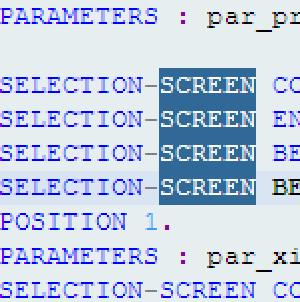
As everyone knows, you can select vertical or horizontal blocks of text almost anywhere in SAPGUI, typing CTRL-Y and then dragging the mouse to make the selection. Everyone also knows that this does not work in ABAP editor. But perhaps what some people don’t know is that there is a way of making this kind of selection in ABAP editor: press and hold ALT. Now you can select blocks of text. Good, no?

Unparameterisable parameters

images/thumbnail.jpg - Thumbnail

Every now and then you get a client who asks a programmer to create a write-protected parameter on the program selection screen. It’s a bit dumb given that the whole idea of parameters is that they are parameterisable.

But there you go, it takes all sorts.

Clients have so much imagination that SAP should create a cinema module, SAP CI, especially so they can screen all the films they carry around in their heads. I am sure some real sci-fi blockbusters would come out of it. And a few comedies too.

Hopping merrily from ELSE to ELSE

images/thumbnail.jpg - Thumbnail

You have in front of you one of those giant IF ELSEIF ELSEIF ELSEIF ELSEIF ELSE ENDIF that runs through hundreds of lines of code.

If you double click on the IF or any of the ELSEIF you jump to the ENDIF. If you double click on the ENDIF down below you go to the IF up above. Everybody knows this. It is handy with a small IF ENDIF. However, it’s not much use with the large ones.

Jumping within ABAP editor

images/thumbnail.jpg - Thumbnail

Have you ever found yourself programming in one of those ABAP programs that’s as long as the Bible with hundreds and hundreds of lines where you always have to jump from one code area to another?

Until a few days ago, in my ignorance I was using PageUp and PageDown to jump between the two locations and I wasted loads of time looking for the exact place in the code that I was interested in.

Upside down CASE

images/thumbnail.jpg - Thumbnail

What is your favourite colour?

SELECTION-SCREEN BEGIN OF BLOCK b1.
PARAMETERS: p_azul BUTTONGROUP GROUP COR DEFAULT 'X',
            p_verde BUTTONGROUP GROUP COR,
            p_roxo BUTTONGROUP GROUP COR.
SELECTION-SCREEN END OF BLOCK b1.

If you said ‘blue’ you live and can cross the bridge.

In any case, the following normally happens in ABAP to discover the colour the user chose:

IF p_azul = 'X'.
  lv_cor = 'AZUL'.
ELSE IF p_verde = 'X'.
  lv_cor = 'VERDE'.
ELSE IF p_roxo = 'X'.
  lv_cor = 'ROXO'.
ENDIF.

But there is a curious and far more elegant way to do the same thing. This is what we call upside down CASE: