Use a password manager in your life
And there you go, if you read the title you know the hint.
Now, here are some hints about the hint:
And there you go, if you read the title you know the hint.
Now, here are some hints about the hint:
Hello, my name is Abapinho and I’m 5 years old. I’m still growing up. Thank you to everyone who visited me during my short life and a special thank you to all those who participated with tips, ideas and posts. Greetings from me, Abapinho.
Recently, I have compiled a set of personal best practices. I decided to share them here by creating a new category (which will soon appear on the menu to the left) into which they will be grouped. The original idea was to make a PDF file but, since they are constantly being reviewed and expanded, this was largely impractical. As such, they will be published one by one. The goal is for these practices to be visible in their entirety as a user-friendly, accessible reference.
When a development is completed in SAP, the time to send it to other systems where it can be duly tested and then executed by users has finally arrived. Before that occurs, however, it has to be checked for lapses, errors and other problems that could lead to our programmes behaving in an unpredictable manner. There is a very useful tool that allows some of these errors and gaps to be filtered out. It is called ABAP Code Inspector.
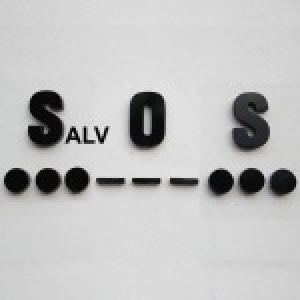
Unless you want to do data editing, the only dignified way to use ALVs these days is through SALV classes. They are more modern and more elegant, and those who use them can achieve a social status until now only available to owners of a license plate.
You are doing a LOOP AT in a 1000-line table, and you know that you want line 853. Until recently, you had two options: either hit F8 852 times, running the risk of hitting it 853 times and having to start all over again, or create a watchpoint with the condition SY-TABIX = 852 or something close, and pray that it worked.
Now you have a third option.
ABAP is getting smarter all the time. Back in my day, no one did anything with it. And now, slowly, more than a fifth of a century late, it’s trying to imitate C and Java, and becoming more flexible.
I was going to do something like this:
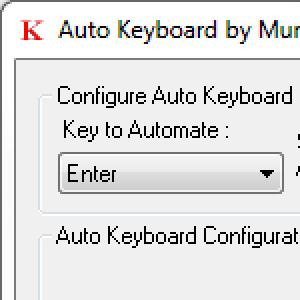
Every programmer knows about the intimate relationship between batch-inputs and paperweights, staplers and similar heavy objects. These precious little helpers can keep us from spending up to eight hours hitting the “ENTER” key with one finger.
Although these objects have a certain charm, the law of gravity - the same one that makes them useful - sometimes makes them fall over and stop pushing this key.
If you think it’s impossible to add values to a standard SAP domain without requesting an activation key, you’re wrong.
Go to the ABAP Editor (SE38) and check out line 323 of standard program RCIFCUST. If you’re lazy, here it is: SAP programmers are wild. Thanks Brian Wolfe for the photo. Greetings from Abapinho
Exception classes let you state multiple texts describing the different possible errors that they can represent.
However, there exists an option to associate it with a message class (SE91). This allows texts to be defined as classic SE91 messages instead of being defined directly in the exception class. And it has advantages.
Do you know the difference between a mystery and an enigma puzzle? An enigma puzzle is known to have a solution, but with a mystery you don’t know if there is solution.
Do you agree with this? 5 * 3 / 10 = ( 5 * 3 ) / 10 = 5 * ( 3 / 10 ) = 1.5
If you don’t, you should agree because it is a mathematical fact.
Now let’s do some experiments.
Select a word in the ABAP editor and choose CTRL-C. Then select another word and choose CTRL-C again. Then another word and so on. You have copied words several times to the clipboard. Experience and common sense tells us that if you choose CTRL-V you can only paste the last word you copied to the clipboard. But that is not quite right. You may not be aware of it, but the ABAP editor has a good memory.
The SCMP transaction compares the content of a table across two systems. It is very useful, especially for parameterization tables. It is very easy to use. It allows for the pre-selection of the registers and fields to compare. It also allows you to only display the differences, which is convenient for tables with lots of data. I don’t think any more explaining is required. Ite et videte. This tip recently appeared in the ex SAPtricks blog and I think it is so useful that I have reposted it here, in case you haven’t already seen it.