Table with all development keys
2022-05-16
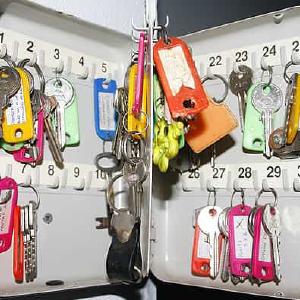
When I get to a new project the system administrator generates a development key for each development system assigned to our SAP username. Usually it’s sent to me by e-mail. Usually I lose track of it.

When I get to a new project the system administrator generates a development key for each development system assigned to our SAP username. Usually it’s sent to me by e-mail. Usually I lose track of it.
Even though you look at an SAP system as a whole, it is composed by several distinct and interconnected parts. There is a small standard program which checks if each part’s clock is correct and synchronised.
It probably won’t be of much use for your daily work. Still, it’s an interesting curiosity.
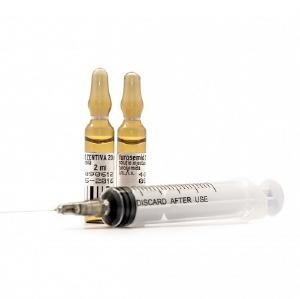
The view below shows how simple it is to create the conditions to inject ABAP commands into programs in a productive system.
I considered whether to publish this. But, as it already happened in the past, I believe it is better for this to be known because it is very important for system administrators to be aware of this so they can protect their systems against this threat.
Thank you Ricardo Monteiro for the tip.
Some time ago you created a table and its maintenance screens as local objects.
When, later, you regret it and decide to transport the table, how will you be able to also transport the maintenance screens?
Transporting the maintenance screens function group together with the table is not enough.
John created transaction ZFB01 and associated it with program ZFB01 which, after doing some stuff, does a CALL TRANSACTION on FB01. Then came his friend Mike and ran transaction ZFB01.
He managed to start running it because he had permissions to do it. But half way through he got an error because he doesn’t have permissions to run transaction FB01.
Both John and Mike knew that the system administrators would never ever give Mike permission to run FB01.
You you call a function via RFC you need to provide the RFC DESTINATION for the remote system:
CALL FUNCTION ‘ZSNEEZED’
  DESTINATION ’sistema_longe_daqui’.
What if, for some reason, the function running in the remote system needs to call a function in the original system? How would you do it?
Nuno Morais developed a very useful tool which can compare objects between systems and works much better than transaction SREPO.
Abapinho will be its official repository.
Soon, an instruction manual. Until then, go on and try it. If you like it or have any suggestion please leave a comment here.
Thank you Nuno for having developed this and for sharing it with the world in Abapinho.
Greetings from Abapinho.
When you touch an object and add it to a transport request, it becomes locked there by default. In a transport request you can also lock objects which are not yet locked in another order. But, once locked, how to unlock them?

The other day, a series of things crashed in our test machine. All of a sudden, no one could work on it. We found a series of transport requests improperly transported to STMS. The user who appears to be associated with each of these requests is its owner. But is it the owner’s fault? Didn’t someone else do the transport?
How can we find out?
Here’s a cool mini-function to obtain some details of a remote system accessible by RFC:
RFC_SYSTEM_INFO
I cannot give any example here because it would reveal very important secret information about my client which would certainly be used by the baddies to perform industrial espionage. But it is easy to test in SE37.
Thanks to kingofthebigmacs for the photo.
Greetings from Abapinho.